Adobe Dreamweaver: Features, Pricing & Business Benefits

Businesses need reliable tools to create and manage professional websites. Adobe Dreamweaver software for Teams brings web design and coding tools together while helping businesses manage software access across their teams.
CS
PR
AD
+

Trusted by 500+ Indian businesses

Get in Touch

What Is Adobe Dreamweaver?

Adobe Dreamweaver is a professional website design and development software that allows businesses to create, edit, and manage websites. It supports coding technologies such as HTML, CSS, and JavaScript while also providing visual design and live-preview capabilities.

For businesses, the team environment makes it easier to provide the right software access to employees and manage licences centrally. This is useful for organisations where designers, developers, and other digital professionals work on website projects together.

Use of Adobe Dreamweaver?

Creating a business website often involves both creative design and technical development. Developers need a dependable coding environment, while designers need tools to build responsive layouts and check how pages appear on different devices.
Dreamweaver brings these requirements into one workspace, helping businesses maintain a more organised website development process. Key business benefits include:

01

Faster website development

Work with code and design tools in one application.

02

Responsive design

Create websites that adapt to different screen sizes.

03

Better workflow

Designers and developers can work using the same platform.

04

Easy testing

Preview website changes before publishing.

05

Code management

Use Git support for version-control workflows.

06

Creative integration

Work alongside other Adobe Creative Cloud applications.

YEARS COMPLETED
0 +
HAPPY CLIENTS
0 +
SATISFACTION LEVEL
0 %

Key Features of Adobe Dreamweaver for Teams

A business web development tool should do more than help create a webpage. It should support the complete workflow, from writing and editing code to testing designs and managing website files. Dreamweaver combines development and design capabilities so teams can handle different stages of website creation from one application.

Advanced Code Editor

Dreamweaver provides an environment for writing and editing website code. Developers can work with HTML, CSS, JavaScript, and other supported web technologies while using features such as syntax highlighting and code assistance.

Responsive Website Design

A website needs to work well across desktops, tablets, and smartphones. Dreamweaver provides responsive design tools that help developers create layouts suitable for different screen sizes.

Live View

Live View allows users to see how a webpage appears while working on it. This helps developers and designers identify layout or visual issues before the website is published.

Git Integration

Dreamweaver supports Git-based workflows, making it easier for development teams to track code changes and manage different versions of a project.

Customisable Workspace

Different team members may have different working styles. Dreamweaver provides a flexible workspace so users can arrange their development environment around the tools they use most often.

Creative Cloud Integration

Businesses already using Adobe applications can connect their web development workflow with the wider Creative Cloud ecosystem, making it easier to work with creative assets and other Adobe tools.

How Does Dreamweaver Help Teams Work Better?

When several people work on websites, managing individual workflows can become complicated. Teams need consistent software, organised projects, and an easy way to control who can access business tools.
Dreamweaver combined with Creative Cloud for teams can support businesses by providing centralised administration and collaboration features.
It can help businesses with:

Centralised user management

Administrators can manage users and licences from one place.

Team collaboration

Designers and developers can work within a connected business environment.

Consistent workflows

Teams can use the same professional development tools.

Simpler administration

Software access can be managed without handling every employee separately.

Better project coordination

Teams can organise their web development activities more efficiently.

Who Should Buy Adobe Dreamweaver for Teams?

Dreamweaver can be useful for businesses that regularly create, maintain, or update websites. It is particularly relevant when multiple people are involved in website projects and the organisation wants a professional development environment.
Businesses that may benefit include:

Web development
companies

Build and maintain websites for clients.

Digital marketing
agencies

Manage websites alongside marketing campaigns.

Creative
agencies

Combine website development with other Adobe workflows.

In-house
web teams

Maintain and update company websites.

Design and
development teams

Allow different professionals to work within the same environment.

Growing
businesses

Manage professional web development as their digital presence expands.
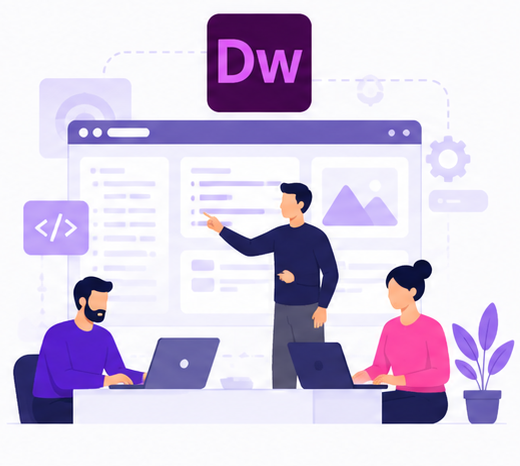
Adobe Dreamweaver Collaboration

Plans & Adobe Reseller Offers

Each business works differently, so it is very important to select the right Adobe Dreamweaver plan. Some teams just need a website development tool; others need the full armory of creative tools for design, marketing and content.
Adobe has flexible plans for teams to let businesses decide what works best for them. If you do different things for work, you can either keep using just Dreamweaver or go for a full Creative Cloud plan.

Adobe Dreamweaver for Teams

This is a great plan for businesses that are focused on web design and development. It gives your team access to Dreamweaver along with essential business features. In this plan, you get:

  • Dreamweaver for web design and coding
  • Cloud storage to store and access project files
  • Access to Adobe tools like Fonts and Portfolio
  • Smooth workflow for developers and designers
Select Plan
Best Value

Creative Cloud All Apps
for Teams

If your business needs more than just website development, dreamweaver along with many other Adobe tools used for design, video, and content creation is the right choice. In this plan, you get:

  • Dreamweaver plus 20+ Adobe apps
  • Tools like Illustrator, Premiere Pro, and InDesign
  • Acrobat Pro for documents and e-signatures
  • Shared storage and team collaboration features
  • All-in-one solution for creative and development work
Select Plan

Connect with Adobe reseller licensing experts for business-focused guidance.

Why Choose Adobe Reseller?

It is easier for businesses to purchase through Adobe Dreamweaver trusted partner in India. Organizations can get to know about licensing options and choose software as per their team size and requirements with the help of an authorized partner.
An authorized Adobe Dreamweaver reseller in India offers ongoing support after purchase, which is very useful for businesses with multiple users or multiple Adobe tools.
Businesses should look for the following when selecting an Adobe reseller:

Adobe genuine software licence
Product information clearly
Help with selecting your licence
User and license management support
Adobe genuine software licence
Product information clearly
Help with selecting your licence
User and license management support
Adobe genuine software licence
Product information clearly
Help with selecting your licence
User and license management support
Activation help
Renewal Guidelines
Support after sales
Business-oriented consultation
Activation help
Renewal Guidelines
Support after sales
Business-oriented consultation
Activation help
Renewal Guidelines
Support after sales
Business-oriented consultation

Businesses may find it easier to communicate and receive ongoing support by partnering with a local licensing partner.Connect with Adobe reseller licensing experts for business-focused guidance.

What Should You Check Before Buying Adobe Dreamweaver?

A little planning before purchasing can make things much easier and prevent license or compatibility problems later. The cheapest or most heavily promoted software option is not always the right choice for a business. Organisations should first understand how many people will use the software and what their development workflow looks like.
Before you buy Adobe Dreamweaver, check:

Number of users requiring access

Type of Adobe licence

Current operating systems

Hardware compatibility

Existing Creative Cloud subscriptions

Adobe Dreamweaver price

Website development requirements

Licence administration needs

Technical and post-sales support

Renewal requirements

How To Reach Us

Get started today by contacting us, and we’ll help find the perfect plan for your business. Setting up your business with Adobe Dreamweaver is a simple three-step process:

1

Contact us

Fill out our simple form with your team's requirements.

2

Your Requirement is
Reviewed by Our Team

Our experts will discuss the best plan and pricing for your business.

3

Receive Your
Personalized Quote

Get your licenses activated and start building immediately.

Frequently Asked Questions

What is the Adobe Dreamweaver latest version?

Adobe currently lists Dreamweaver 21.8 as the April 2026 release

Yes. It can be useful for businesses, agencies, and in-house teams involved in website design, development, and maintenance.

Yes, Adobe's current system requirements list supported 64-bit Windows 10 versions for Dreamweaver. Businesses should check the latest requirements before deployment.

Windows 7 is associated with older Dreamweaver releases, but businesses should not assume it is supported by the latest version. Always check Adobe's current system requirements before installation.

Adobe Dreamweaver CC refers to Dreamweaver associated with Adobe Creative Cloud. Businesses purchasing the software today should refer to Adobe's current Dreamweaver and Creative Cloud offerings.

Businesses can purchase Dreamweaver through Adobe or an authorised Adobe reseller. A business reseller can also provide assistance with licence selection and purchasing.

An experienced reseller can help businesses with product selection, licensing, activation, deployment, and ongoing support, making the purchasing process easier for organisations.

Yes. Dreamweaver supports coding, responsive design, Live View, Git integration, and other development workflows that can be useful for professional web teams.

Yes. Dreamweaver is part of the Adobe Creative Cloud ecosystem, making it suitable for businesses that already use other Adobe creative applications.

Get Adobe Dreamweaver Subscription

Get access to professional web design and development tools with an Adobe Dreamweaver subscription. Build, design, and manage responsive websites with powerful coding and visual editing features. Compare the available plans and choose the option that best matches your requirements.