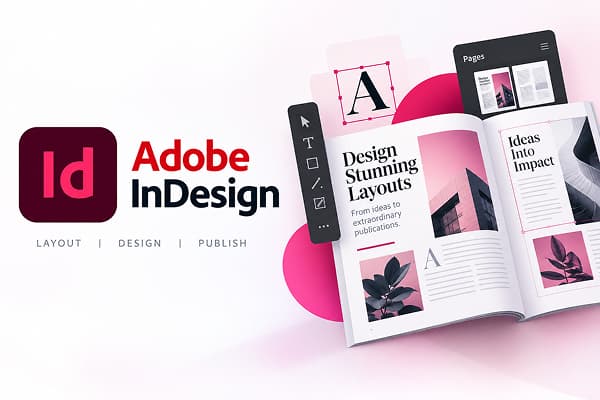
Adobe InDesign for Teams

Why Buy Adobe InDesign from Adobe Reseller

Adobe InDesign is the world’s leading page design and layout software, trusted by businesses to create brochures, posters, digital magazines, eBooks, book covers, and interactive PDFs. As an authorized Adobe InDesign reseller, we provide 100% genuine Adobe InDesign subscription licenses with GST-compliant billing and dedicated support.

  • 100% Genuine Licenses
  • GST-Compliant Billing
  • Dedicated Support

Request a Free Quote

Share your team size and requirements. Our Adobe licensing expert will call you back.

Main_Form

What Is Adobe InDesign

Adobe InDesign software is a professional desktop publishing and typesetting tool used to create posters, flyers, brochures, magazines, newspapers, presentations, and eBooks. It gives businesses the ability to arrange text, images, and graphics into a clean, high-quality layout, whether the final output is meant for print or for digital use. It has become a standard tool across the design industry, offering teams precise control over typography, spacing, and structure, while keeping every document consistent with brand guidelines, no matter who on the team is working on it.

In simple terms, Adobe InDesign takes a raw creative idea and turns it into a polished, professional document that’s ready to publish or print. Buying your Adobe InDesign subscription through us means your team can start working the same day, with no setup delays holding your projects back.

Who Uses Adobe InDesign?

Adobe InDesign for Teams is built for businesses and professionals who work with layout, publishing, and print-ready content on a regular basis. Its flexibility and precision make it a natural fit across a wide range of industries, from small design studios to large publishing houses. It is commonly used by:

  • Design studios and creative agencies

  • Advertising and marketing agencies

  • Newspaper and magazine publishers

  • Book and eBook publishers

  • Retail and catalogue companies

  • Corporate design and branding teams

  • Commercial printing businesses

  • Prepress and production teams

Why Choose Adobe InDesign

Purchasing a Team plan gives you access to worthwhile and practical opportunities that benefit your whole organization rather than just the design work that gets done. It alters how your entire team collaborates with each other, how your files are secured, and how straightforward it is for your IT team to handle access when people come and go from your organization. This is what it looks like in practice:

  • Centralized management

    With one admin console, licenses can be assigned, changed, or revoked in seconds so that the IT or procurement team is always equipped to help.

  • Real-time feedback

    The Share for Review feature lets stakeholders leave comments directly on a web link that syncs with your workspace, eliminating long and tangled email threads.

  • Asset security

    All your company’s creative materials remain protected and accessible even if team members change their role or leave the company.

  • Expert support

    Technical support tailored for corporate IT environments, rather than generic help designed for individual users.

Key Features of Adobe InDesign

Adobe InDesign comes with tools that help your design team work faster with accuracy and reliability in every task. Repetitive tasks like resizing layouts or formatting long documents can be handled automatically, so every brochure, proposal, or catalogue stays polished, professional, and consistent with your brand — no matter which team member is working on it.

  • Smart subject-aware text wrap

    Text automatically flows around the shape of your images, powered by Adobe’s built-in AI, saving time on manual adjustments.

  • Professional typography tools

    Access thousands of fonts and advanced text formatting options, giving your team clean, accurate layouts every single time.

  • Interactive digital documents

    Create PDFs with embedded video, audio, and clickable navigation, making your content far more engaging for readers.

  • Seamless Adobe integration

    Move between InDesign, Photoshop, and Illustrator without ever breaking your workflow or losing formatting.

  • Auto Style for text

    Select any block of text, apply a preset design, and let InDesign organise it into headers, subheadings, and paragraphs automatically.

Adobe InDesign Specifications

Adobe InDesign supports different platforms and business sizes, making it suitable for both individual professionals and teams. Here are the specifications of Adobe InDesign to help you understand its features and compatibility.

SpecificationDetails
Supported PlatformsDesktop, Web, iPad
Suitable ForMedia & Entertainment, Corporate, Publishing
Deployment TypeWeb Hosted
Customer TypeAll Business Sizes
LanguageEnglish
Billing CycleAnnual Subscription

Adobe InDesign Subscription Plans We Offer

Understanding Adobe InDesign's subscription options helps you make the right choice for your business, especially when your team needs to go beyond just layout design. At Adobe reseller, we offer two clear plans, each built for a different kind of team, so you never end up paying for tools which is not perfect for you.

InDesign for Teams

This plan is built for businesses that are primarily focused on layout design, publishing, and professional documents. It gives your team centralised control, secure access, and smooth collaboration, all packaged into one straightforward Adobe InDesign subscription.

  • InDesign on desktop, web, and iPad
  • Admin tools, dedicated support, and 1TB of cloud storage
  • Adobe Express, Adobe Firefly, Adobe Portfolio, and Adobe Fonts
  • 500 monthly generative credits
  • Always updated to the latest version of Adobe InDesign

Creative Cloud All Apps for Teams

This comprehensive plan includes InDesign along with all of Adobe's leading creative apps, giving your team true end-to-end creative freedom. With one annual commitment, your yearly budgeting and license renewals become far simpler to manage.

  • InDesign on desktop, web, and iPad
  • 20+ more apps, including Illustrator, Premiere Pro, Lightroom, and After Effects
  • Acrobat Pro with PDF and e-signature tools
  • Admin tools, dedicated support, and 1TB of cloud storage
  • Adobe Express, Adobe Firefly, Adobe Portfolio, and Adobe Fonts
  • 1000 monthly generative credits

Which Adobe InDesign Plan Should Your Business Choose?

Adobe has an individual licensing model (1 license = 1 user). Since licenses are non-sharable, the total number depends on how many team members require access. As your team grows, always select plans based on the current team size and scale.

InDesign for Teams is great for small to mid-sized businesses (1–10 users). It is designed for companies focused on layout design, publishing, and professional documents, offering centralized control, secure access, and smooth collaboration. Start with just a few licenses and easily add more as your team grows.

Creative Cloud All Apps for Teams is ideal for growing and larger teams (10+ users or multi-functional teams). It includes InDesign and 20+ Adobe apps — good for businesses that want design, video editing, marketing, and branding all in one place — and makes license management and long-term scaling easier.

To summarize: for focused publishing and design capabilities, go with InDesign for Teams. For a full creative ecosystem for a larger or more diverse team, go with Creative Cloud All Apps for Teams.

Why Choose Us

Choosing the right official partner makes a huge difference — from your first demonstration to how quickly issues are solved later on. Here is what distinguishes an Adobe Reseller from a common software vendor:

  • Understanding the local market

    Timely, on-the-ground assistance in all major business centres such as Bangalore, Gurgaon, Noida, Faridabad, Mumbai, and Delhi.

  • The right advice

    We recommend plans based on your needs rather than selling whatever is available, and stay engaged so your business stays future ready.

  • Long-term relationships

    From onboarding to renewal, we stay involved to keep your business prepared for the future with the right Adobe solutions.

  • Reseller switch support

    If you currently use Adobe VIP from a different provider, we help you move to us without interruption of your licenses.

How To Reach Us

Get started today by contacting us, and we’ll help find the perfect Adobe InDesign plan for your business. Setting up your business with Adobe InDesign is a simple three-step process:

  1. Contact Us

    Reach out via phone, email, or the contact form on this page. Share basic details about your business and the Adobe InDesign plan you’re interested in, and our team will handle the rest.

  2. Our Team Reviews Your Requirement

    Our licensing experts assess your current setup and team size to recommend the options that fit your workflow — a cost-effective, efficient solution without paying for unnecessary features.

  3. Receive Your Customized Quotation

    We send a detailed, personalized quotation with plan recommendations and pricing tailored to your business. A quick confirmation gets your team up and running.

FAQs

What's the difference between InDesign for Teams and Creative Cloud All Apps for Teams?

InDesign for Teams focuses purely on layout and publishing, with InDesign available on desktop, web, and iPad. Creative Cloud All Apps for Teams includes everything in InDesign for Teams, plus 20+ additional Adobe apps.

What is the Adobe InDesign subscription price in India?

Adobe InDesign subscription price in India depends on the plan and number of licenses your business needs. Contact our team for the latest Adobe InDesign price in India before you subscribe.

Is there an Adobe InDesign lifetime license available?

No, Adobe InDesign is only offered as a subscription, with no lifetime license option. This ensures that every user always has access to the Adobe InDesign latest version, along with ongoing updates and support.

Is Adobe InDesign subscription billed monthly or annually?

Business Adobe InDesign subscription plans are billed annually per license, giving your organisation predictable, budget-friendly costing instead of fluctuating monthly charges.

How do I decide how many InDesign licenses my business needs?

Choose your plan based on how many people in your team actively design, review, or manage layouts, typically your design and marketing staff. A free consultation with our experts can help.

Can our business switch to Adobe reseller if we're already on Adobe VIP with another reseller?

Yes, we can help you switch over without disrupting your existing licenses or renewal cycle. Simply fill out our VIP Reseller Change Form to begin the process.

Do you provide GST invoices with every purchase?

Yes, every InDesign subscription purchased through Adobe reseller comes with a proper GST invoice, so your business can claim Input Tax Credit without any hassle.

Will switching my Adobe reseller affect my existing licenses or renewal schedule?

No, when you switch to Adobe reseller, we take care of the entire transition on your behalf and keep your existing licenses and renewal schedule intact throughout the process.

What is the process of changing my Adobe reseller?

Get in touch with our support team and share your current Adobe VIP details. From there, we take care of the entire transition on your behalf, keeping your existing licenses and renewal schedule intact throughout.

How do I get a formal quotation for Adobe InDesign?

You can fill out the quote request form on this page, or reach out to our sales team directly, and you'll receive a quotation customised to your plan choice and team size.

Contact Us

Still have questions about Adobe InDesign plans, pricing, or licensing for your business? From choosing the right plan to setting up your team’s licenses and a smooth onboarding, we’re here to help. Reach out directly or fill out the quote request form on this page, and we’ll respond with a plan designed for your business needs.